Guidance
This page provides step-by-step instructions on how to set up and use the extension.
Installation
-
Go to Learn Finnish: Dual Subtitles for Finnish Streaming on Chrome Extension Webstore
-
Click "Add to Chrome".
-
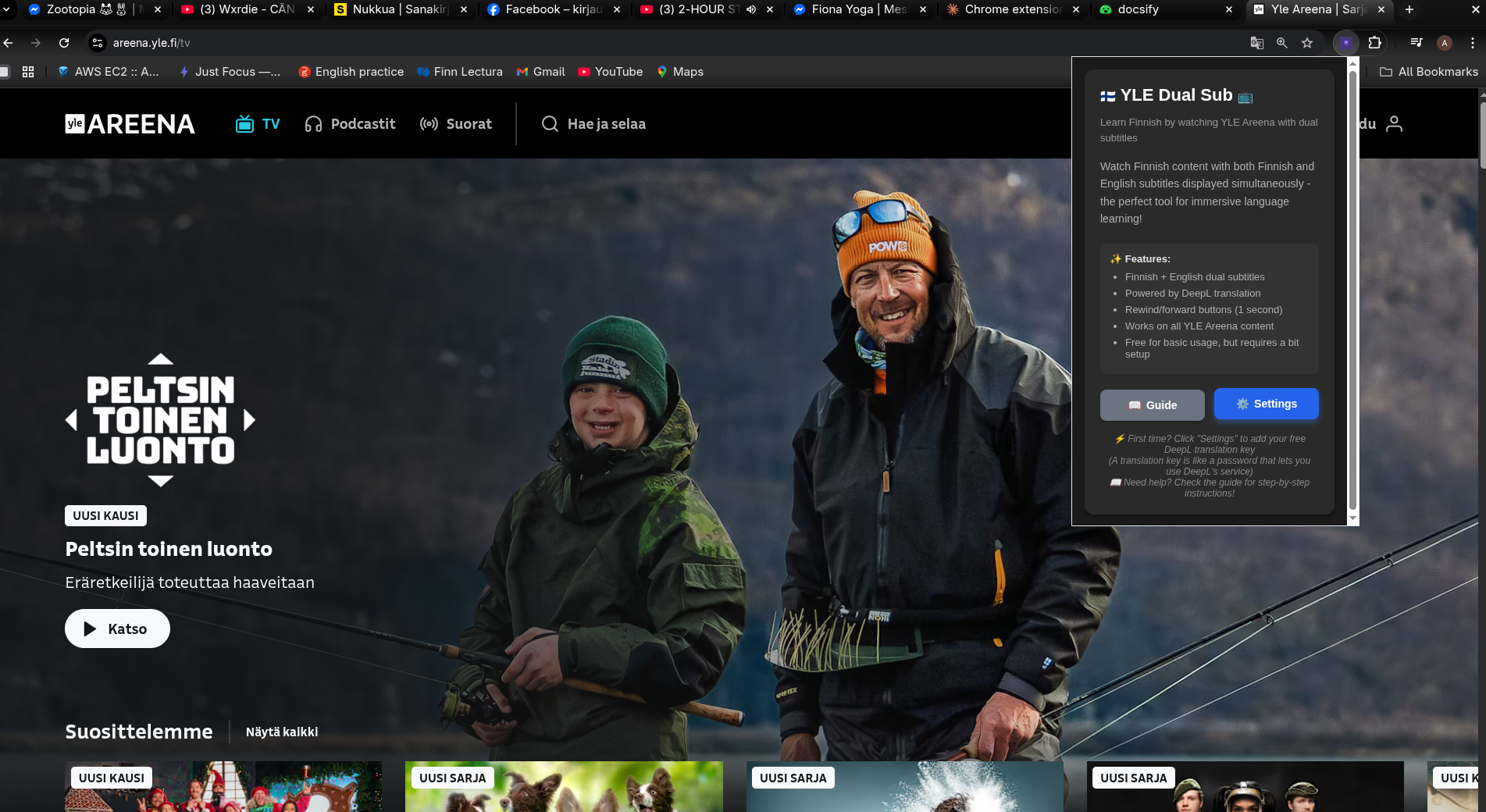
Open Extension popup and click
Settingsbutton. -
-
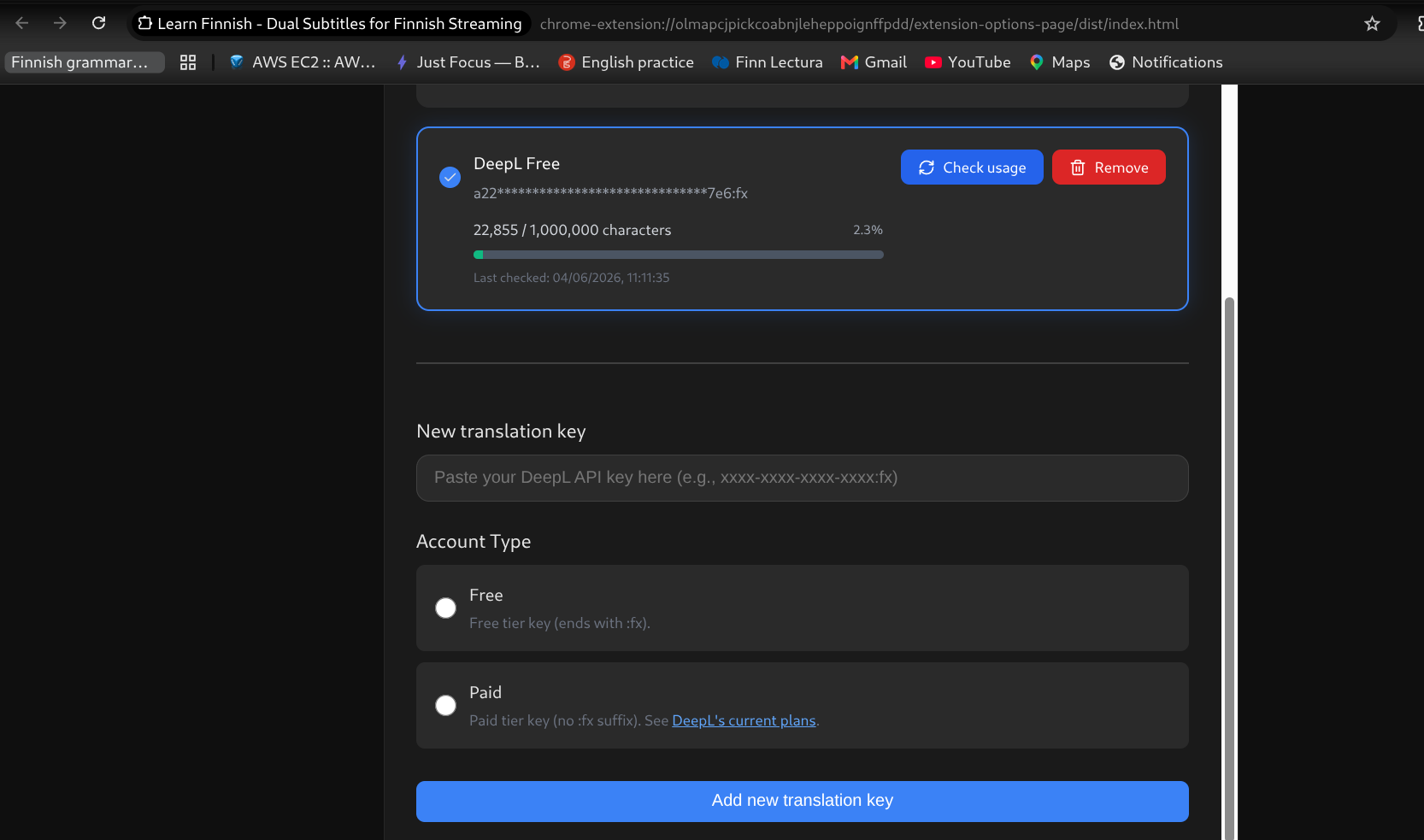
(Optional but recommended) Add your
DeepL Translation Key. Without it, the extension falls back to Google Translate. Google Translate has improved a lot, but for the most accurate, fluent and natural translations, set up a DeepL key. See the setup instructions below. -
-
(Optional) Select your preferred translation language from the dropdown (default is English). You can choose from Vietnamese, Japanese, Spanish, and all other languages supported by DeepL.
Here is the extension demo video if you want to see the whole usage flow.
For YLE Areena:
-
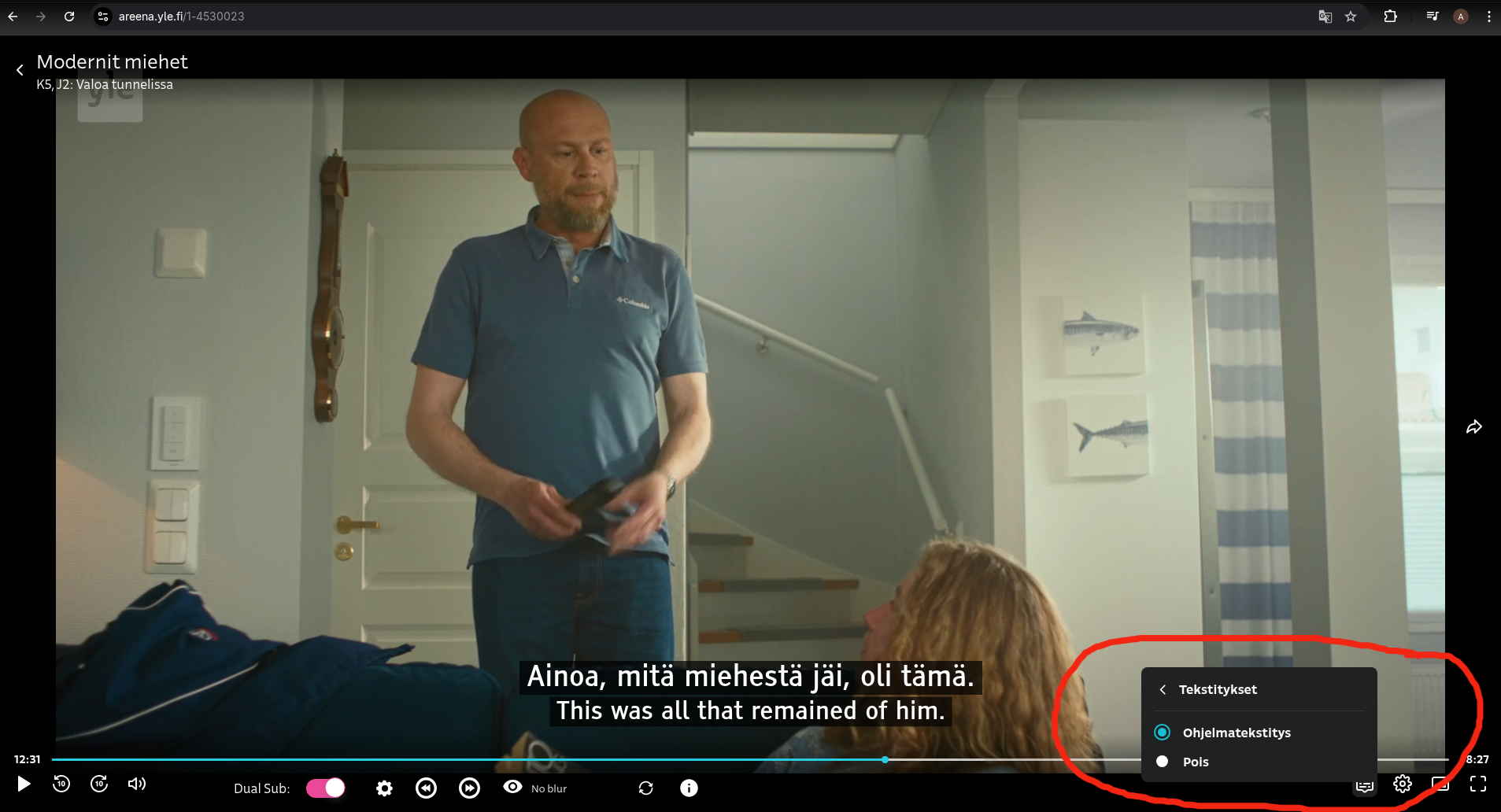
Open YLE Areena TV and choose your content.
-
Remember to turn on subtitle
Tekstitykset.Ohjelmatekstitysand toggle onDual Subswitch on the bottom bar. -
For Ruutu:
-
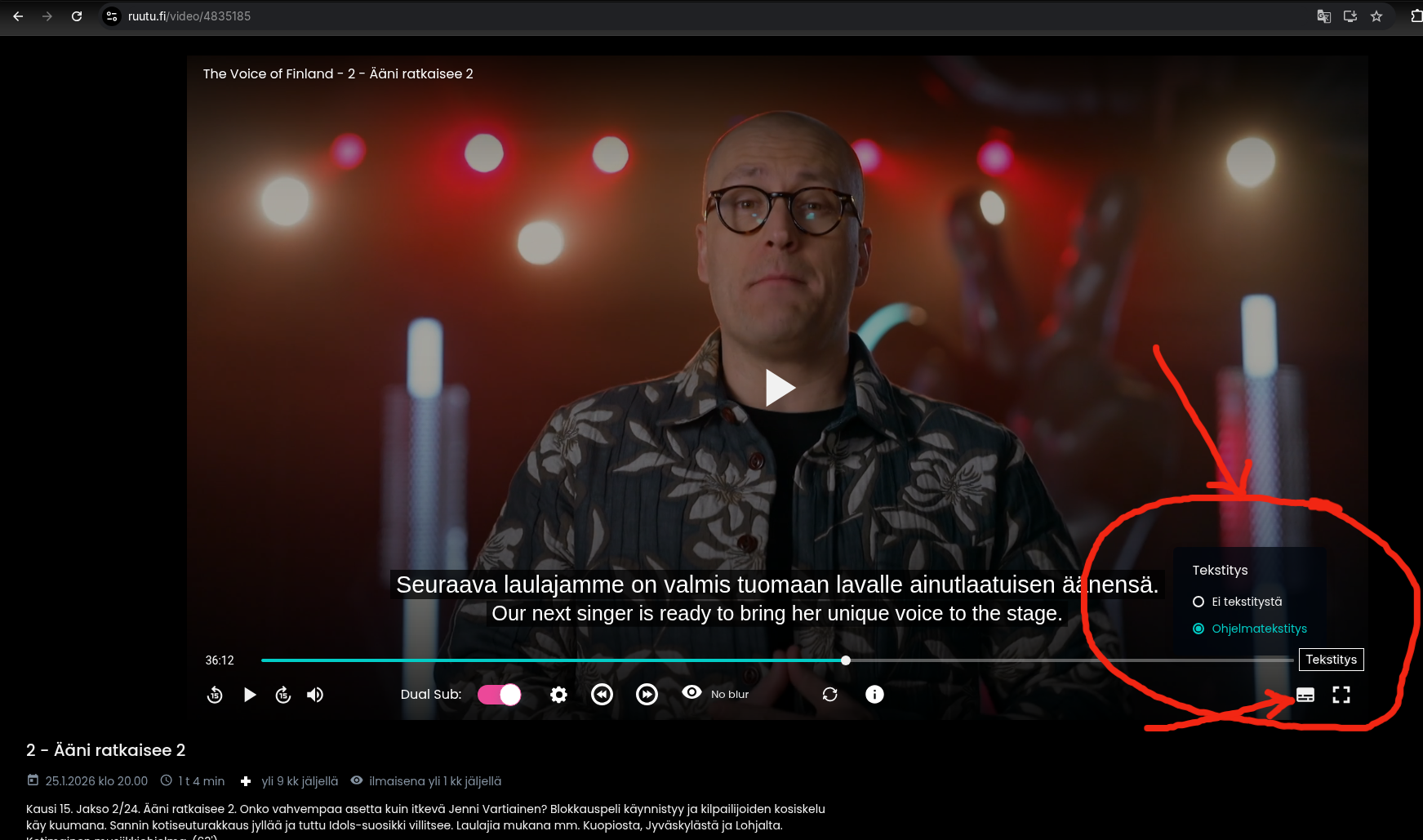
Go to Ruutu.fi and select a video with Finnish subtitles.
-
Remember to turn on subtitle
Ohjelmatekstitysand toggle onDual Subswitch on the bottom bar. -
-
⚠️ If subtitles don't appear: Try toggling the
Dual Subswitch off and on again. If that doesn't help, reload the page. Ruutu's subtitle mechanics can sometimes be unpredictable — a quick toggle or refresh usually fixes it.
Setting Up Your Translation Key
ℹ️ What is a translation key? How do I get one?
📖 What is a translation key (API key)?
A translation key is like a password that allows this extension to use DeepL's translation service.
⚠️ Important: DeepL's free tier gives a character allowance to try out, but it does not reset each month. A credit card is required to sign up. Once the allowance runs out, you'll need a paid plan. Check DeepL's current plans for up-to-date pricing.
🤔 Why do I need to set this up?
You might wonder: "Other dual-sub extensions like Language Reactor, Trancy, and InterSub work instantly—why not this one?"
Here's the truth: Free services either use low-quality translation APIs, run at a loss (subsidized by premium users), or monetize your data. 💰
I built this extension differently because I believe you deserve:
- ✨ Best-in-class translations – DeepL provides high-quality translations to 30+ languages including English, Vietnamese, Japanese, and more
- 🔒 Complete privacy – No data collection, no ads, no tracking
- ♻️ Sustainability – No active maintenance burden on my end
- 🚀 Try it out – DeepL's free tier gives a character allowance to get started (one-time, not recurring)
Yes, it takes 5-10 minutes for one-time setup, but you get premium quality without compromise. Worth it? I think so! 😊
🔑 How to get your translation key (one-time setup):
📺 Video walkthrough (recommended): Watch 1 min tutorial from Youtube
📝 Step-by-step instructions:
-
Sign up for a free DeepL account
Visit DeepL Account Signup and create your account
-
Select your DeepL API plan
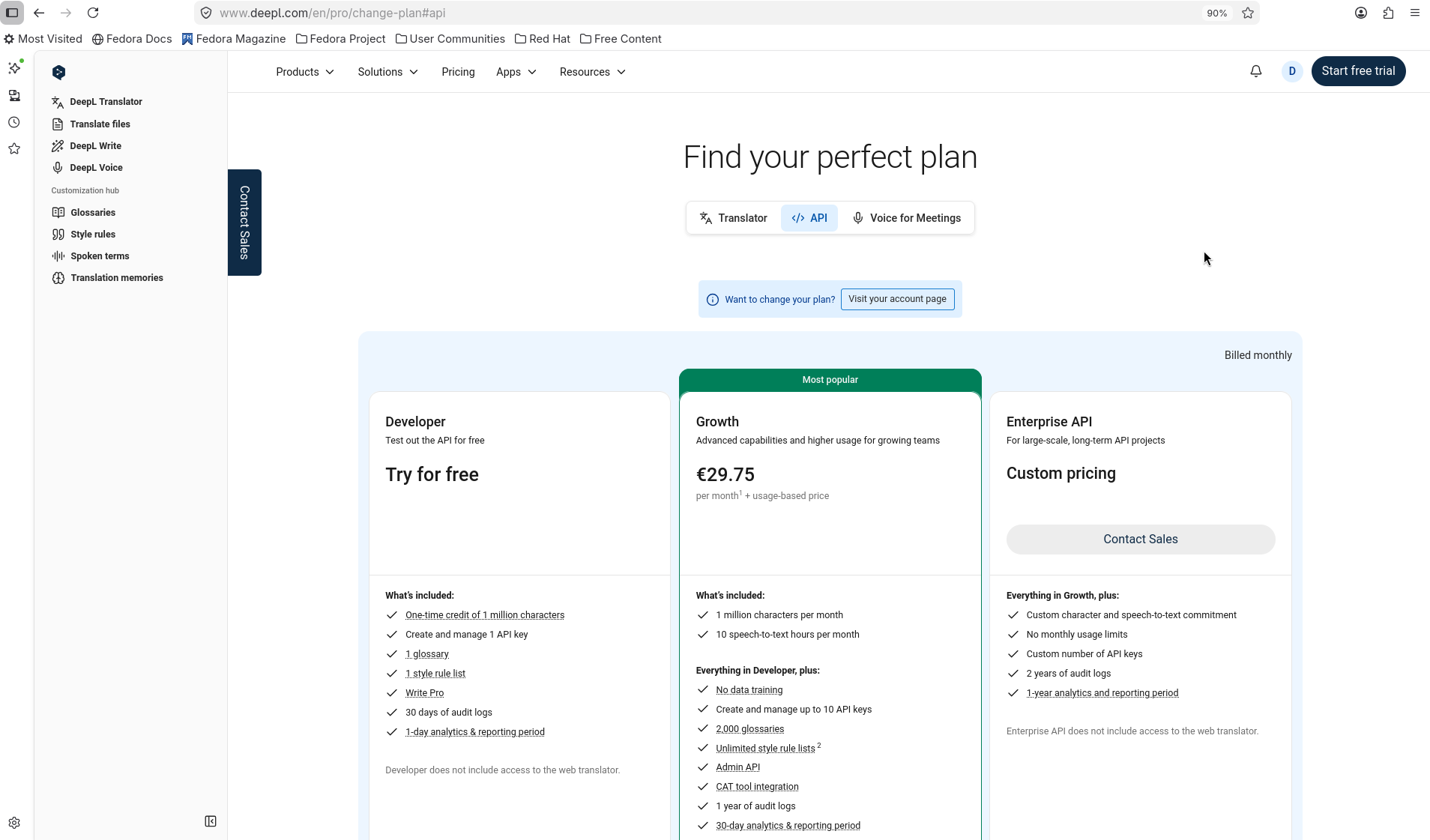
Go to DeepL Developer Page, look for "Find your perfect plan", then click the "DeepL API" tab. Select the plan that suits your needs.
-
Create your subscription
Choose the free tier to try it out, or a paid plan for recurring monthly access. See DeepL's current plans for details.
💳 A credit card is required even for the free tier
-
Create your API key
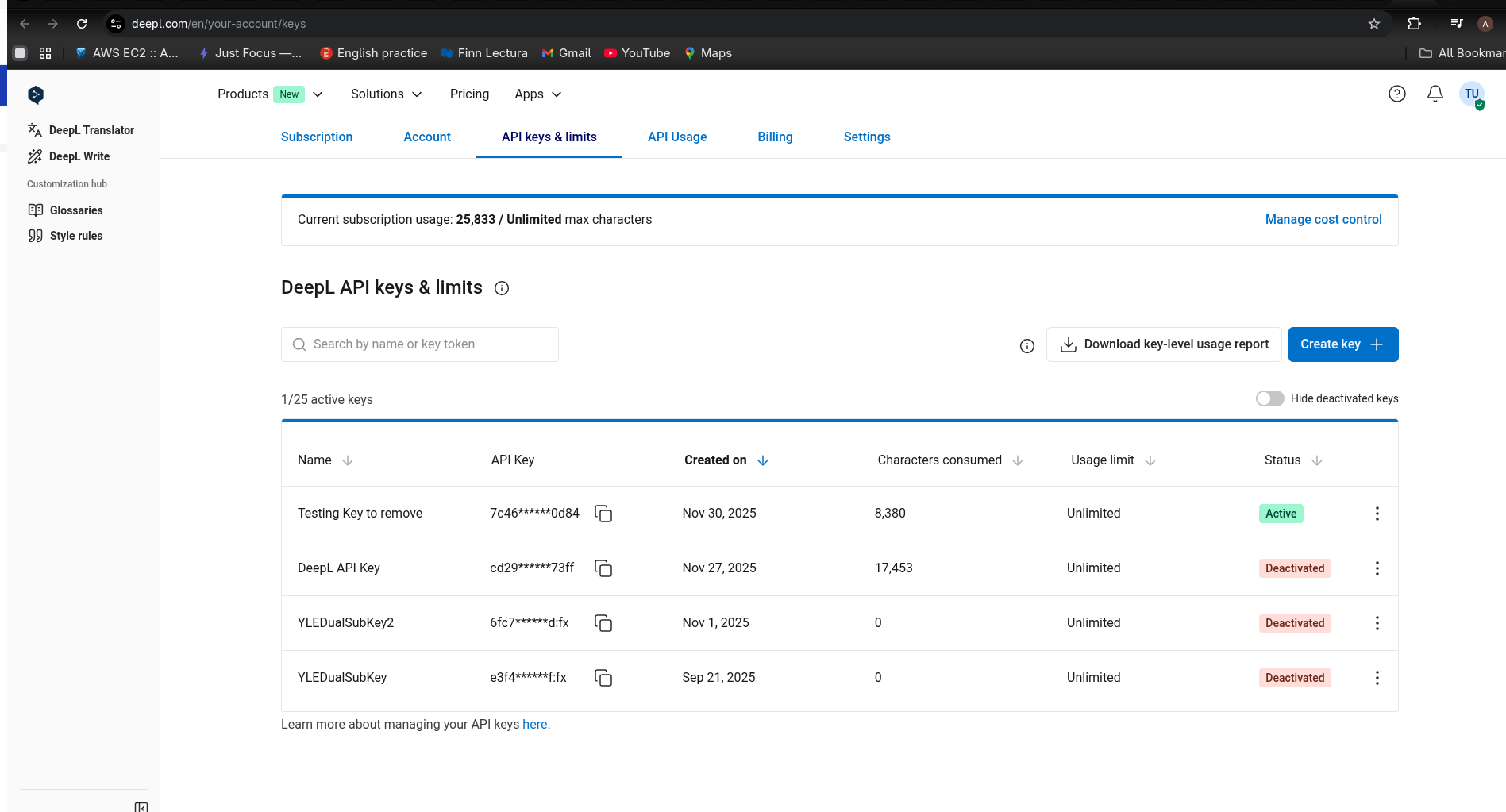
After the subscription has been made, go to DeepL Key Page. Click the "Create Key" button and give it a name (e.g., "YLE Dualsub translation key")
-
Copy your key
Your API key will look like this:
- Free tier:
fcb8779e-4837-4e2f-99ef-1ac7255d2ed2:fx(ends with :fx) - Paid tier:
fcb8779e-4837-4e2f-99ef-1ac7255d2ed2(no :fx suffix)
- Free tier:
-
Paste it in the extension
Copy the entire key and paste it in the extension's options page, select your account type (Free/Paid), and click "Add new translation key"
🎉 That's it! Your extension is now ready to provide high-quality translations.
💡 Watched some episodes before adding your key? The extension saves translations on your computer, so it doesn't need to translate the same episode twice. That means episodes you watched before will still show the old Google Translate subtitles. To get DeepL subtitles for them, open the episode and click the reload icon in the video player.
📚 Need more help? View the official DeepL guide
💡 Note: DeepL Character Limits
DeepL's free tier gives a character allowance to get started (one-time, does not reset monthly). Once you run out, check DeepL's current plans for paid options. If that feels expensive, share one key with friends or fellow Finnish learners and split the cost! You can add up to 2 translation keys to this extension.